Site Configuration
The site configuration is editable from Decap CMS. It lives in src/data/site.json.
This is where you set your site title, tagline, URL, and brand assets — everything search engines use to understand your site.
Where to Edit
In the CMS:
- Click Site Settings
- Click Site Configuration
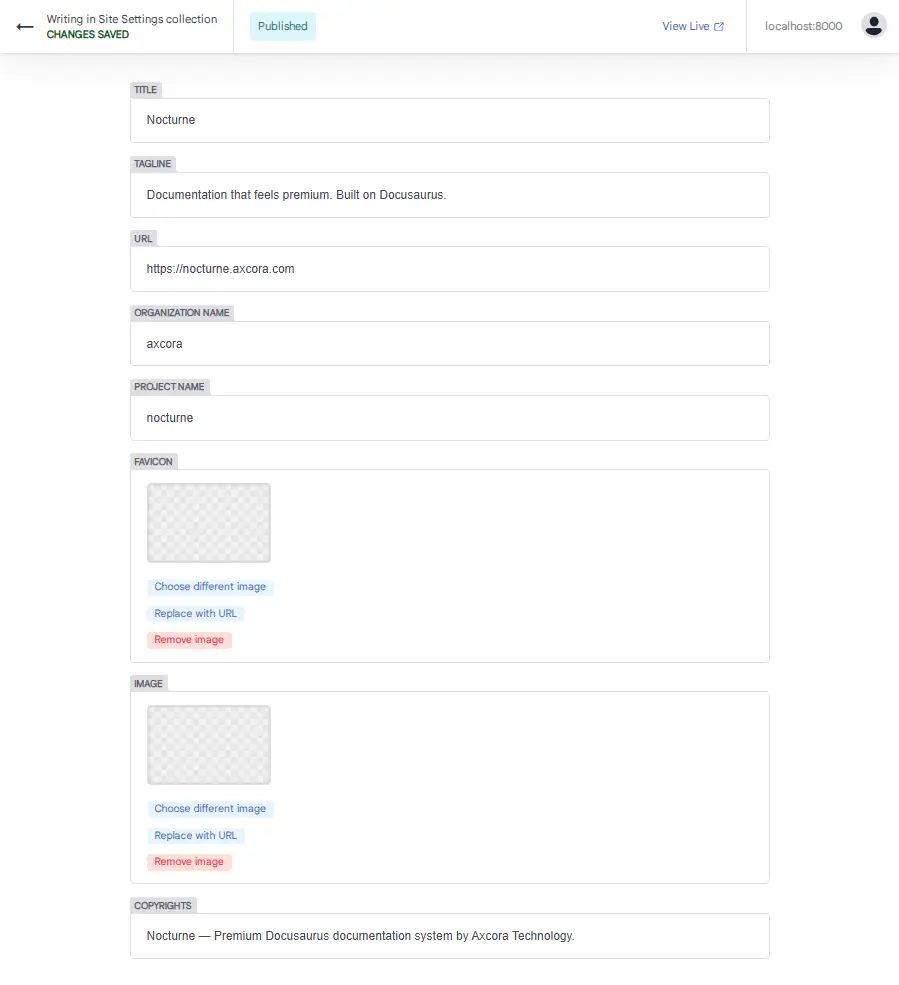
You'll see these fields:
- Title
- Tagline
- URL
- Organization Name
- Project Name
- Favicon
- Image
- Copyrights
Title
The site title. Shown in the browser tab and used in SEO metadata.
Example:
Nocturne
Tips:
- Keep it short — 1 to 3 words
- Use your brand name
- Don't add taglines here
Tagline
A short description of your site. Used in SEO metadata and social shares.
Example:
Documentation that feels premium. Built on Docusaurus.
Tips:
- Keep it under 60 characters
- Describe what your site does
- Be specific, not generic
URL
Your live site URL. Used in sitemap, RSS feeds, and canonical URLs.
Example:
https://nocturne.axcora.com
Important: Change this from http://localhost:3000 to your real domain before deploying.
Organization Name
Your GitHub organization or username. Used by Docusaurus for deployment.
Example:
axcora
Project Name
Your GitHub repository name. Used by Docusaurus for deployment.
Example:
nocturne
Favicon
The small icon shown in the browser tab.
Where to store: static/img/
Reference:
img/nocturne-favicon.webp
Recommended size: 32×32 or 64×64 pixels.
Supported formats: .webp, .png, .ico, .svg
Image
The default social share image. Used when your site is shared on Twitter, Facebook, LinkedIn, etc.
Where to store: static/img/
Reference:
img/nocturne-og.webp
Recommended size: 1200×630 pixels.
Tips:
- Use your brand colors
- Include your logo
- Keep text large and readable
Copyrights
The copyright text shown in the footer.
Example:
Nocturne — Premium Docusaurus documentation system by Axcora Technology.
Tips:
- Include the year
- Include your company name
- Keep it under 100 characters
Full Example
Here's what src/data/site.json looks like after editing:
{
  "title": "Nocturne",
  "tagline": "Documentation that feels premium. Built on Docusaurus.",
  "url": "https://nocturne.axcora.com",
  "organizationName": "axcora",
  "projectName": "nocturne",
  "favicon": "img/nocturne-favicon.webp",
  "image": "img/nocturne-og.webp",
  "copyrights": "Nocturne — Premium Docusaurus documentation system by Axcora Technology."
}
After Editing
- Click Save in the CMS
- The site rebuilds automatically
- Refresh your browser to see the changes
Changes affect:
- Browser tab title
- SEO metadata
- Social share preview
- Footer copyright
- Sitemap and RSS feeds
Editing Tips
- Set
urlfirst — before deploying - Update
copyrightsyearly - Keep
titleshort — 1 to 3 words - Make
taglinespecific — not generic - Use 1200×630 for
image— best for social shares
Troubleshooting
Title doesn't change in browser tab
- Check that you saved the file in the CMS
- Refresh with
Ctrl + Shift + R - Check the terminal for errors
Favicon doesn't appear
- Check that the file exists in
static/img/ - Check that the path is
img/nocturne-favicon.webp— not/img/... - Clear your browser cache
Social share image is missing
- Check that the file exists in
static/img/ - Check that the path is
img/nocturne-og.webp— not/img/... - Test with opengraph.xyz
URL is wrong
The url field must match your production domain. Update it before deploying.
What's Next?
Now let's configure the navbar and footer.